> ## Documentation Index
> Fetch the complete documentation index at: https://docs.pensiv.so/llms.txt
> Use this file to discover all available pages before exploring further.

# Plans

> What separates the five tiers from Free to Ultra, and how to open the plan comparison table inside the app.

As a manuscript gets longer, the number of AI reviews and the number of versions kept are what you run into first. Knowing where you get stuck tells you when to move up a plan.

## Opening the comparison table

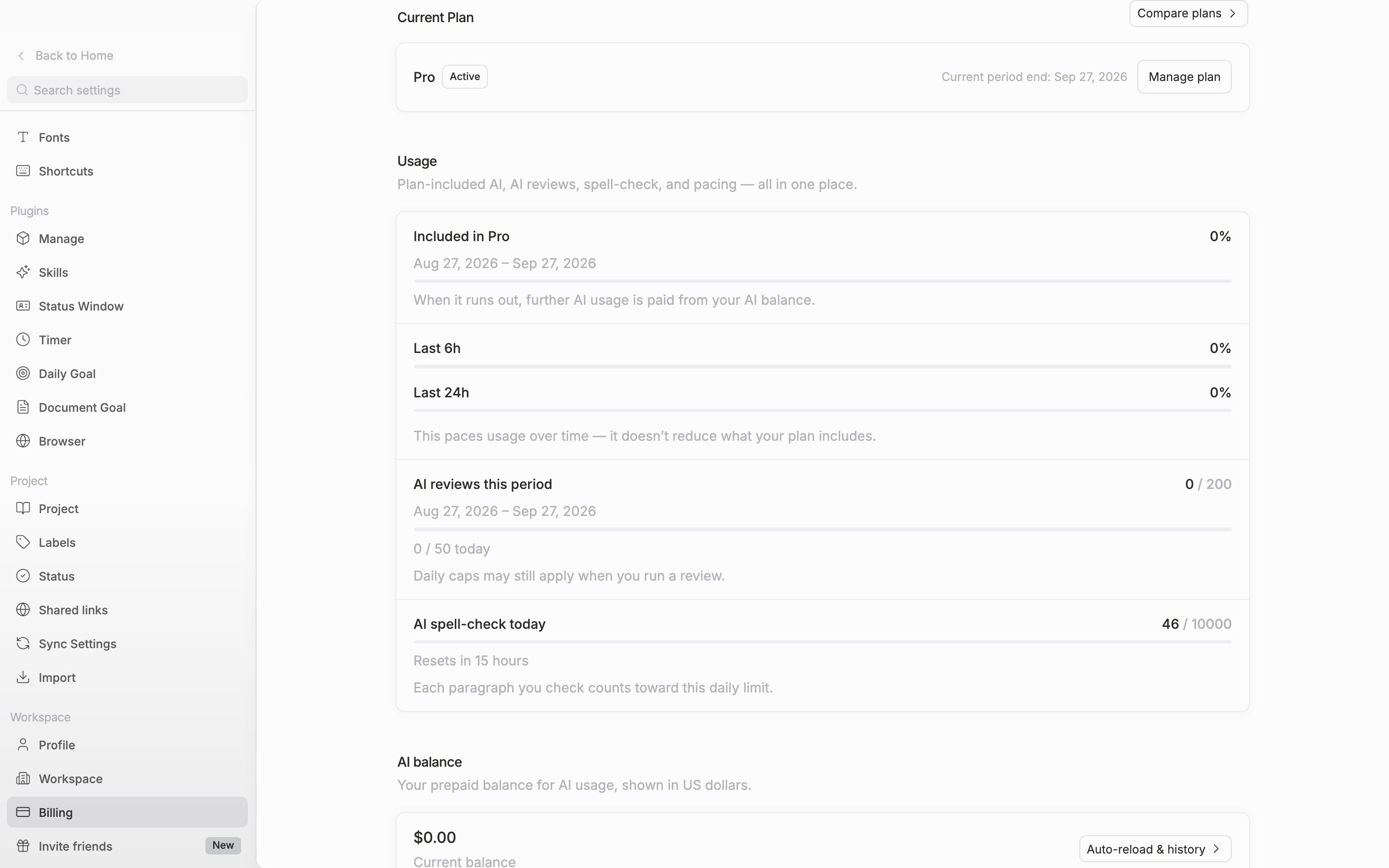
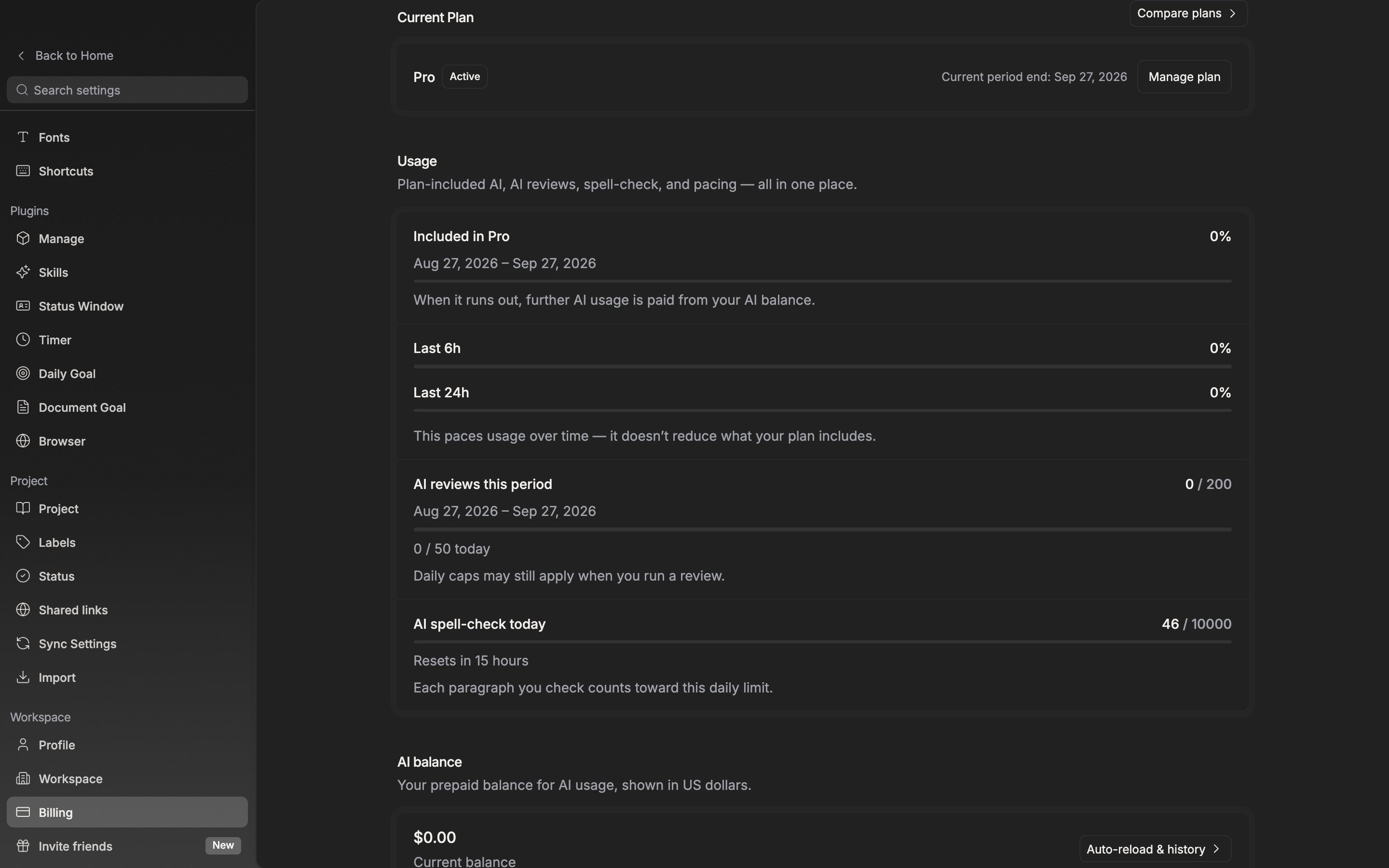
In settings, go to **Workspace → Billing**. Click **Compare plans** at the right of the **Current Plan** row and the table opens in a window. Next to the **Monthly · Annual** toggle at the top, the annual discount rate is attached as a badge. Amounts are given per month. Written in Korean, they come out in won.

<div className="app-window block dark:hidden">
  <img src="https://mintcdn.com/raumlabsinc/WQIpN21D_2L4wB76/images/en/account/plans--01.png?fit=max&auto=format&n=WQIpN21D_2L4wB76&q=85&s=8dc55eb33a688b647f85a2abae4691cd" alt="The “Current Plan” section of the billing screen. The “Compare plans” button on the right, and the “View plans” and refresh buttons on the row above, are visible together." width="2880" height="1800" data-path="images/en/account/plans--01.png" />
</div>

<div className="app-window hidden dark:block">
  <img src="https://mintcdn.com/raumlabsinc/WQIpN21D_2L4wB76/images/en/account/plans--01-dark.png?fit=max&auto=format&n=WQIpN21D_2L4wB76&q=85&s=f9f93c17d9c6971c8d80a78c0d418b19" alt="The “Current Plan” section of the billing screen. The “Compare plans” button on the right, and the “View plans” and refresh buttons on the row above, are visible together." width="2880" height="1800" data-path="images/en/account/plans--01-dark.png" />
</div>

<p className="app-caption">The billing screen. The plan comparison table opens from this row.</p>

## The five tiers

They are laid out in the order **Free · Basic · Pro · Pro+ · Ultra**. **Pro** carries **Most popular**, and the one you are on carries **Current plan**. Click a button in another column, such as **Choose Pro**, and you go through to checkout.

| Feature                           | Free    | Basic    | Pro       | Pro+      | Ultra     |
| --------------------------------- | ------- | -------- | --------- | --------- | --------- |
| AI reviews per day                | 3       | 20       | 50        | 100       | Unlimited |
| AI reviews per month              | 12      | 60       | 200       | 500       | 1,200     |
| AI spell-check paragraphs per day | 1,000   | 3,000    | 10,000    | Unlimited | Unlimited |
| Versions kept per file            | 10      | 100      | 200       | 500       | 500       |
| History retention                 | 60 days | 365 days | Unlimited | Unlimited | Unlimited |
| Image upload size                 | 5 MB    | 50 MB    | 50 MB     | 50 MB     | 50 MB     |

The **바른한글 paragraphs per day** row appears only when you write in Korean. From the paid plans up it is 750 · 2,500 · 7,500 · 15,000 paragraphs.

## What opens up from paid

* From **Pro** — **Premium models (GPT-5, Claude Sonnet & Opus)**, **MCP server access**, **Team seats**.
* From **Pro+** — **Priority support**, **Dedicated support channel**.
* **Agent usage** — Free and Basic get **Trial**, Pro gets **Light use for writing**, Pro+ gets **5× Pro**, and Ultra gets **20× Pro**.
* On every plan — **Standard AI models**, **Plugins**, **Templates**, **Themes**, **Local mode**, **Export (DOCX, EPUB, HWP, PDF)**.

## The full pricing comparison

Click **View plans** at the top right of Settings → Billing and your default browser opens instead of the app, going to [pensiv.so/pricing](https://pensiv.so/pricing). The table that sets the five plans side by side feature by feature, the monthly and annual prices, and the annual discount are all there. Inside the app you see only the plan you are on and the cards for the tiers above it.

<Note>
  The numbers in the table are filled in with the latest limits fetched from the server. If they differ from this page, the screen is right.
</Note>
