> ## Documentation Index
> Fetch the complete documentation index at: https://docs.pensiv.so/llms.txt
> Use this file to discover all available pages before exploring further.
# What kind of tool pensiv is
> A tool for running a whole project, not a single manuscript file. First, how documents, sheets, plotboards, and canvases fit together.
pensiv is a writing tool for long manuscripts you hold on to for a long time, like novels and screenplays. You write the prose in documents, but what this tool sets out to do is keep character details, plot ideas, and scattered notes running in one place.
## Everything sits inside one project
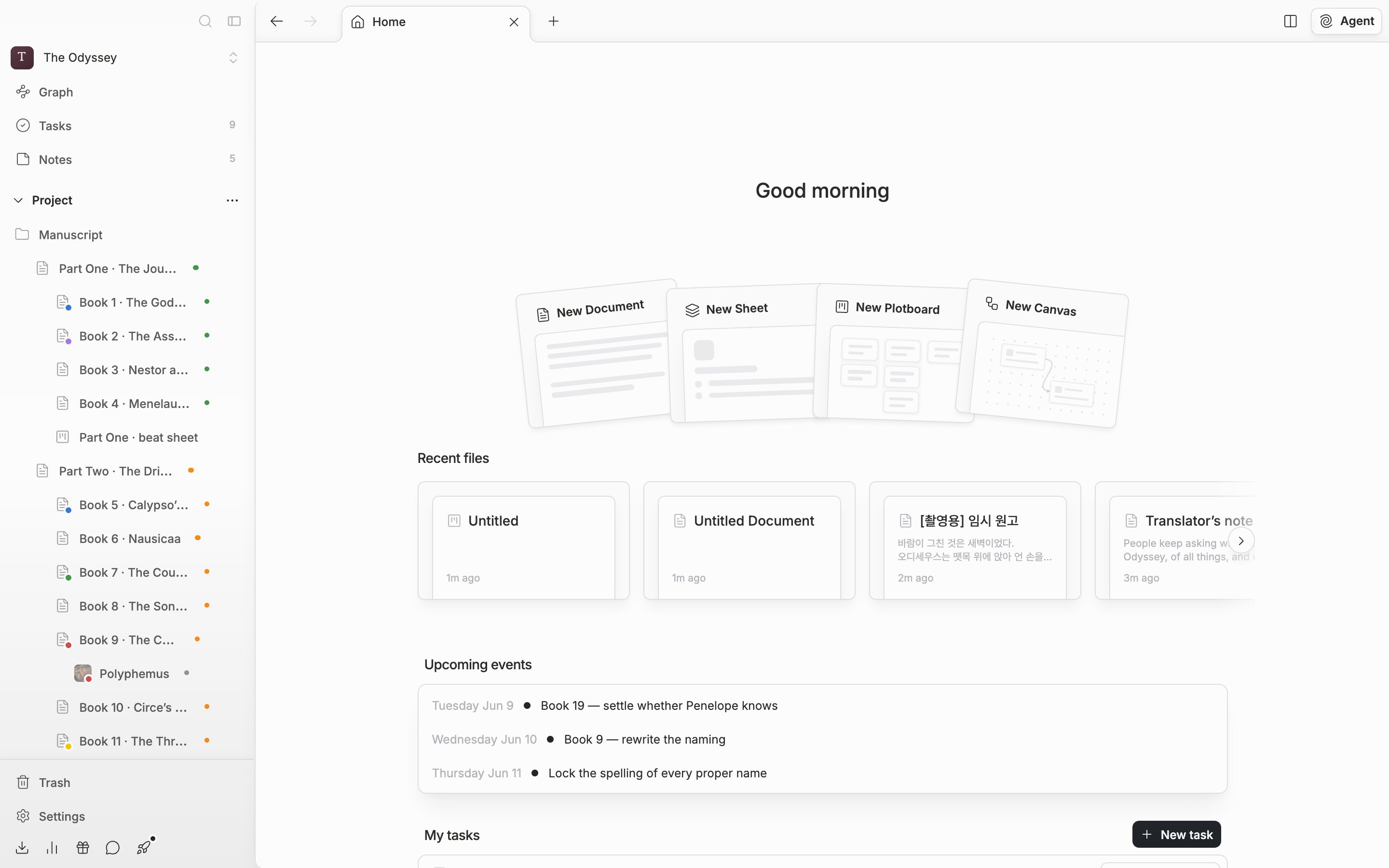
The unit of work in pensiv is the **project**. You open a project rather than a single manuscript file, and everything attached to that story opens with it. Files are laid out in one tree under "Project" in the sidebar, and you can make folders to group them however you like.
Four kinds of file go into the tree.
| File | What it does |
| --------- | --------------------------------------------------------------------------------------------------------------------------------------------- |
| Document | Where you write the actual manuscript. A scene or a chapter becomes one document. |
| Sheet | Organizes characters and settings as properties. The categories are Character, Event, Organization, Item, Location, Worldbuilding, and Other. |
| Plotboard | Lays out how the story unfolds, using plot cards and part cards. |
| Canvas | A wide board where you place note cards and file cards freely. |
## The point is that they are attached to each other
The four do not sit apart. Type `@` while writing a document and you can mention a character sheet or another document right there; on the mentioned side, **Backlinks** shows the files pointing at it. On a sheet, **Add Property → Choose from template** lets you pick link properties such as "Related Documents", "Related Character", and "Related Location" to hang documents and other sheets on it. Part cards on a plotboard can hold documents, sheets, and canvases too, and a file card on a canvas can show the text of the document or sheet it pulls in, right inside the card.
You check all these accumulated links at a glance in **Graph** in the sidebar.
One project holding the manuscript and the story details together
## Next step
Now it is your turn to make one. On the next page you install pensiv and sign in.