> ## Documentation Index
> Fetch the complete documentation index at: https://docs.pensiv.so/llms.txt
> Use this file to discover all available pages before exploring further.

# Writing with focus

> Focus mode hides the sidebar and the toolbar so only the manuscript is left. How to enter and leave it, and what stays reachable.

Three things help you stay with a manuscript. Focus Mode, which empties the screen; the Focus mode setting, which leaves only the paragraph you are writing; and the timer that measures time.

## Emptying the screen

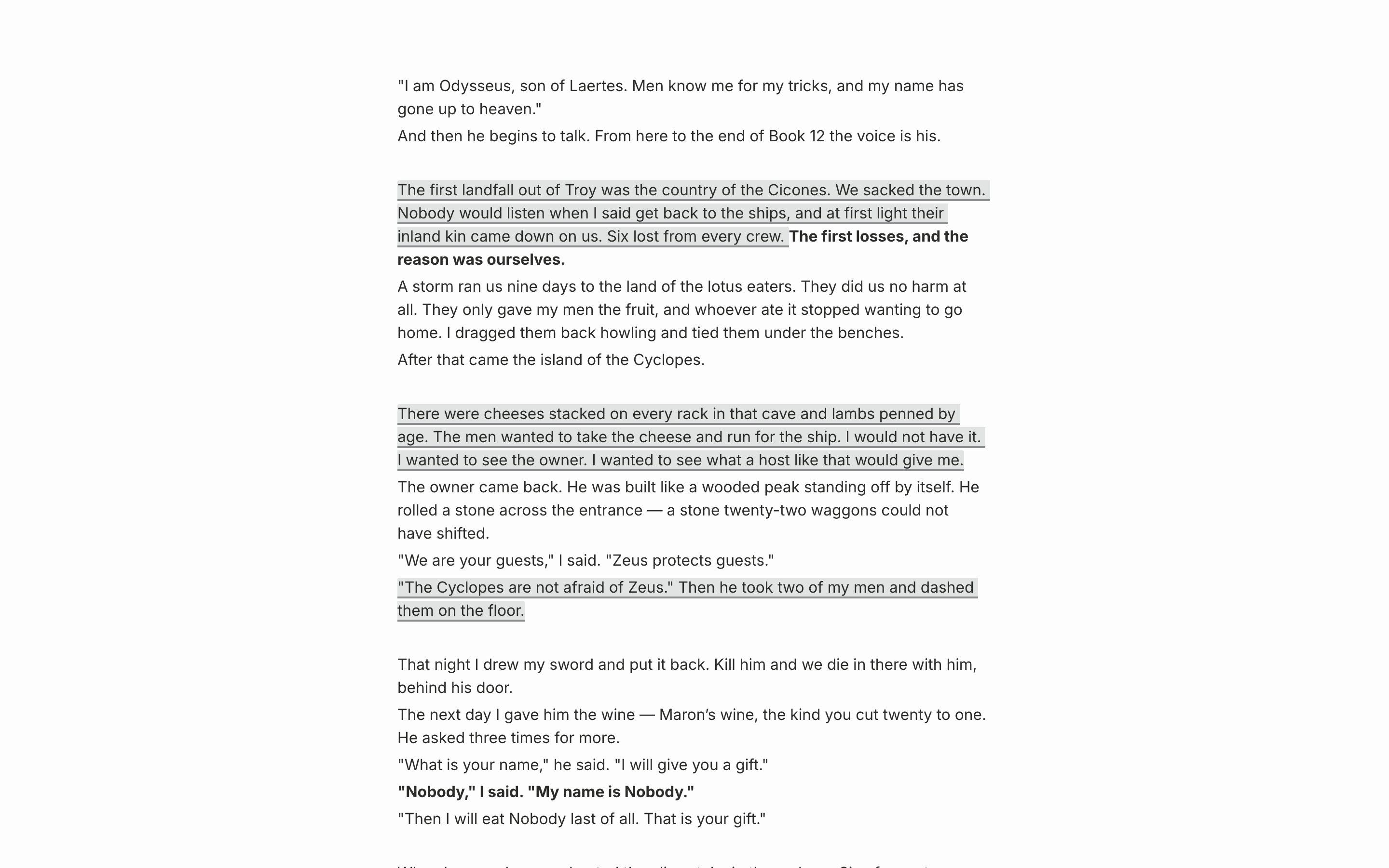
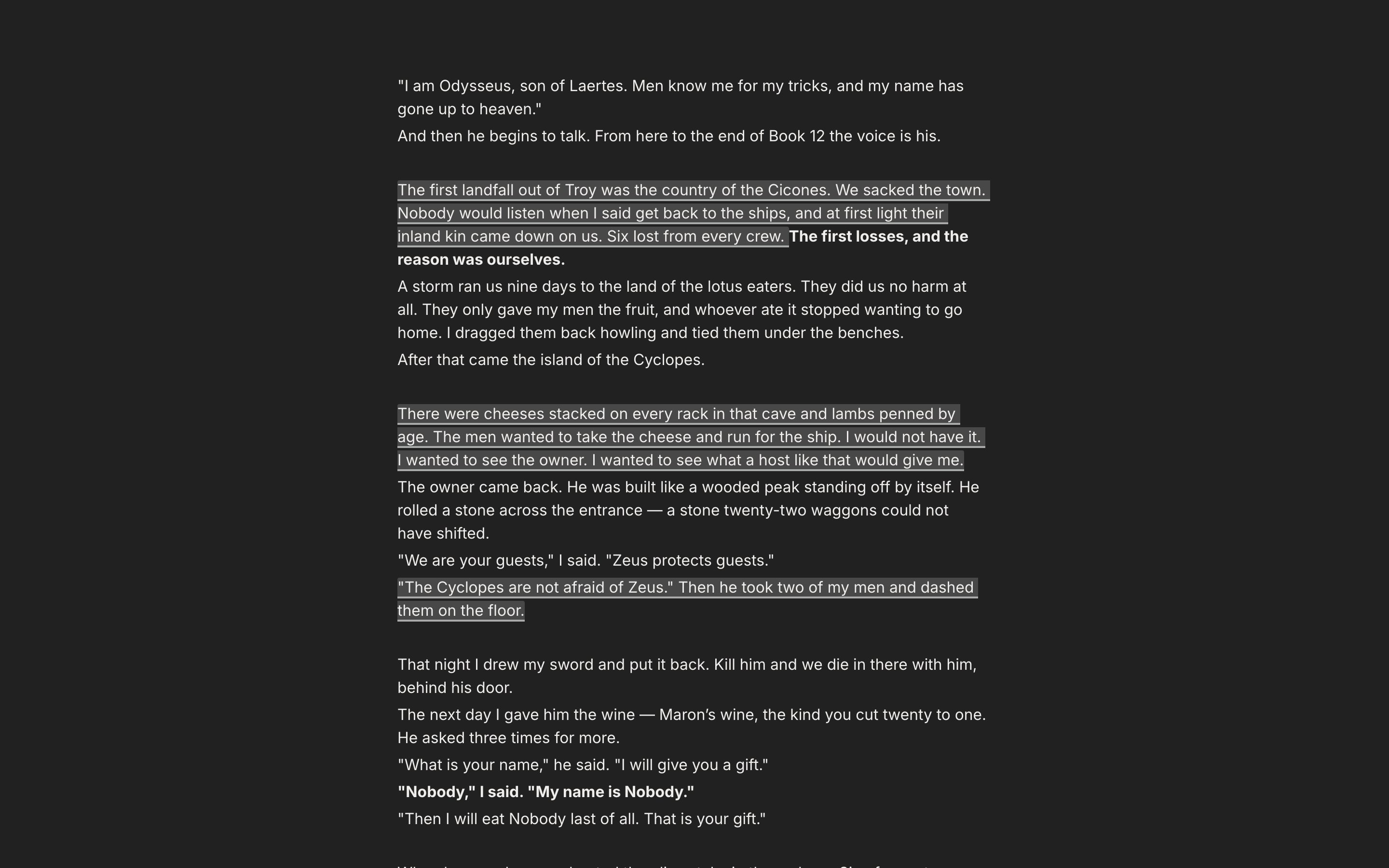
The **Focus Mode** button in the document header, or `Cmd/Ctrl + Shift + F11`. The sidebar folds away, and the tab row, the document title, the formatting toolbar, and the AI panel disappear all at once. On macOS it goes full screen; on Windows it maximizes.

`Esc` gets you out. It does not listen while an IME is still composing a character, so finish the character and press again. The state you leave it in holds the next time you open the app.

<div className="app-window block dark:hidden">
  <img src="https://mintcdn.com/raumlabsinc/by9xNbVXURkjf0zh/images/en/writing/focus-mode--01.png?fit=max&auto=format&n=by9xNbVXURkjf0zh&q=85&s=8cd3a6ee45818f53478b59c7cd6c8a8f" alt="A document with Focus Mode on. The sidebar, tab row, document title, and formatting toolbar are all gone, leaving two or three paragraphs of body text on a full screen." width="2880" height="1800" data-path="images/en/writing/focus-mode--01.png" />
</div>

<div className="app-window hidden dark:block">
  <img src="https://mintcdn.com/raumlabsinc/by9xNbVXURkjf0zh/images/en/writing/focus-mode--01-dark.png?fit=max&auto=format&n=by9xNbVXURkjf0zh&q=85&s=bcada01d0343a29cc3f6bc5c35b4b435" alt="A document with Focus Mode on. The sidebar, tab row, document title, and formatting toolbar are all gone, leaving two or three paragraphs of body text on a full screen." width="2880" height="1800" data-path="images/en/writing/focus-mode--01-dark.png" />
</div>

<p className="app-caption">Focus Mode. Only the body remains; the rest of the screen steps back.</p>

## Keeping only the paragraph you write

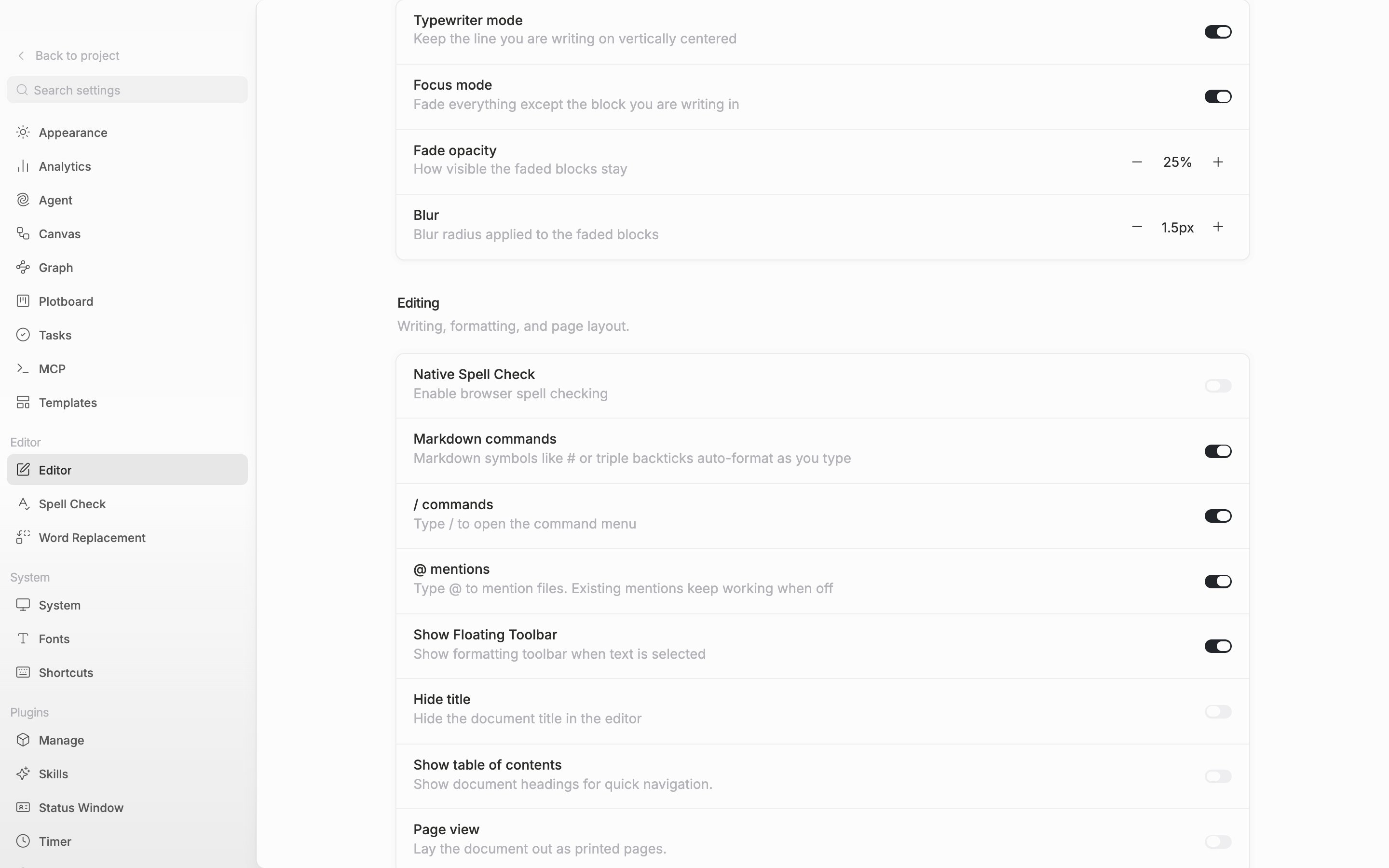
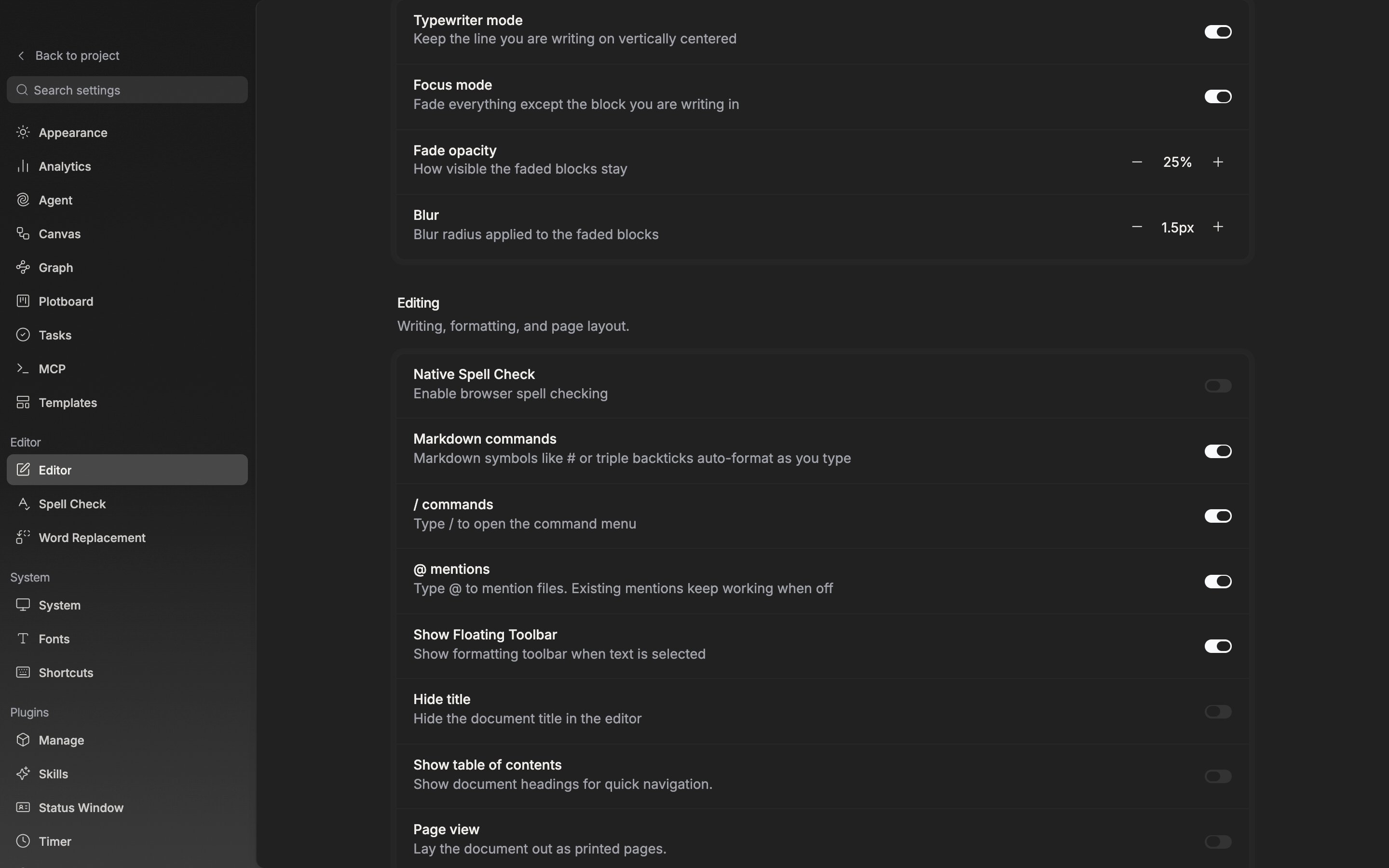
The **Focus** section under **Settings** → **Editor** holds two.

**Focus mode** keeps only the block the cursor sits in and fades the rest. Select several paragraphs and every block the selection touches stays. **Fade opacity** runs from 5% to 90%, **Blur** from 0px to 8px. They start at 25% and 1.5px. Hover a number and a three-line preview shows the strength. **Typewriter mode** holds the line you are writing at the center of the screen. The two run separately, so you can turn on just one.

You can turn them on from the gear at the right of the toolbar (**Current File Settings**) as well. Changed with a document open, it is your own setting for that document alone, so the screens of the people working with you stay as they were. The toolbar disappears in Focus Mode, so set it beforehand.
<div className="app-window block dark:hidden">
  <img src="https://mintcdn.com/raumlabsinc/GnwEix8Pn4ktt2lZ/images/en/writing/focus-mode--02.png?fit=max&auto=format&n=GnwEix8Pn4ktt2lZ&q=85&s=6c4395a1da80ac529d752901b562de81" alt="The Editor tab in settings, the “Focus” section. Typewriter mode and Focus mode are both on, so the Fade opacity and Blur rows show, and hovering a value has brought up the three-line preview." width="2880" height="1800" data-path="images/en/writing/focus-mode--02.png" />
</div>

<div className="app-window hidden dark:block">
  <img src="https://mintcdn.com/raumlabsinc/GnwEix8Pn4ktt2lZ/images/en/writing/focus-mode--02-dark.png?fit=max&auto=format&n=GnwEix8Pn4ktt2lZ&q=85&s=29764d172c2aa7735d60718a598d6e52" alt="The Editor tab in settings, the “Focus” section. Typewriter mode and Focus mode are both on, so the Fade opacity and Blur rows show, and hovering a value has brought up the three-line preview." width="2880" height="1800" data-path="images/en/writing/focus-mode--02-dark.png" />
</div>

<p className="app-caption">The Focus section. Match the blur strength by eye with the preview.</p>

## Measuring time

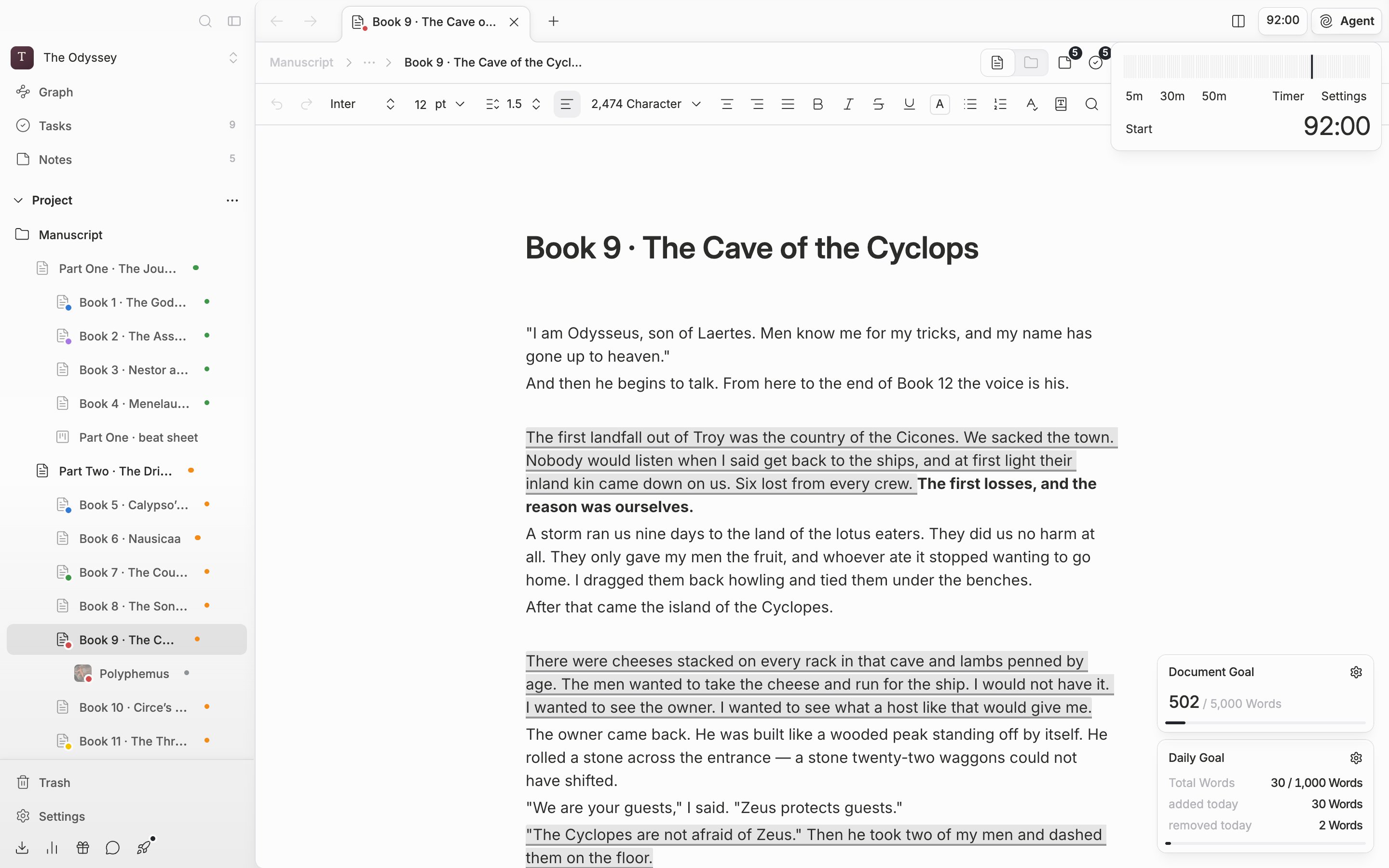
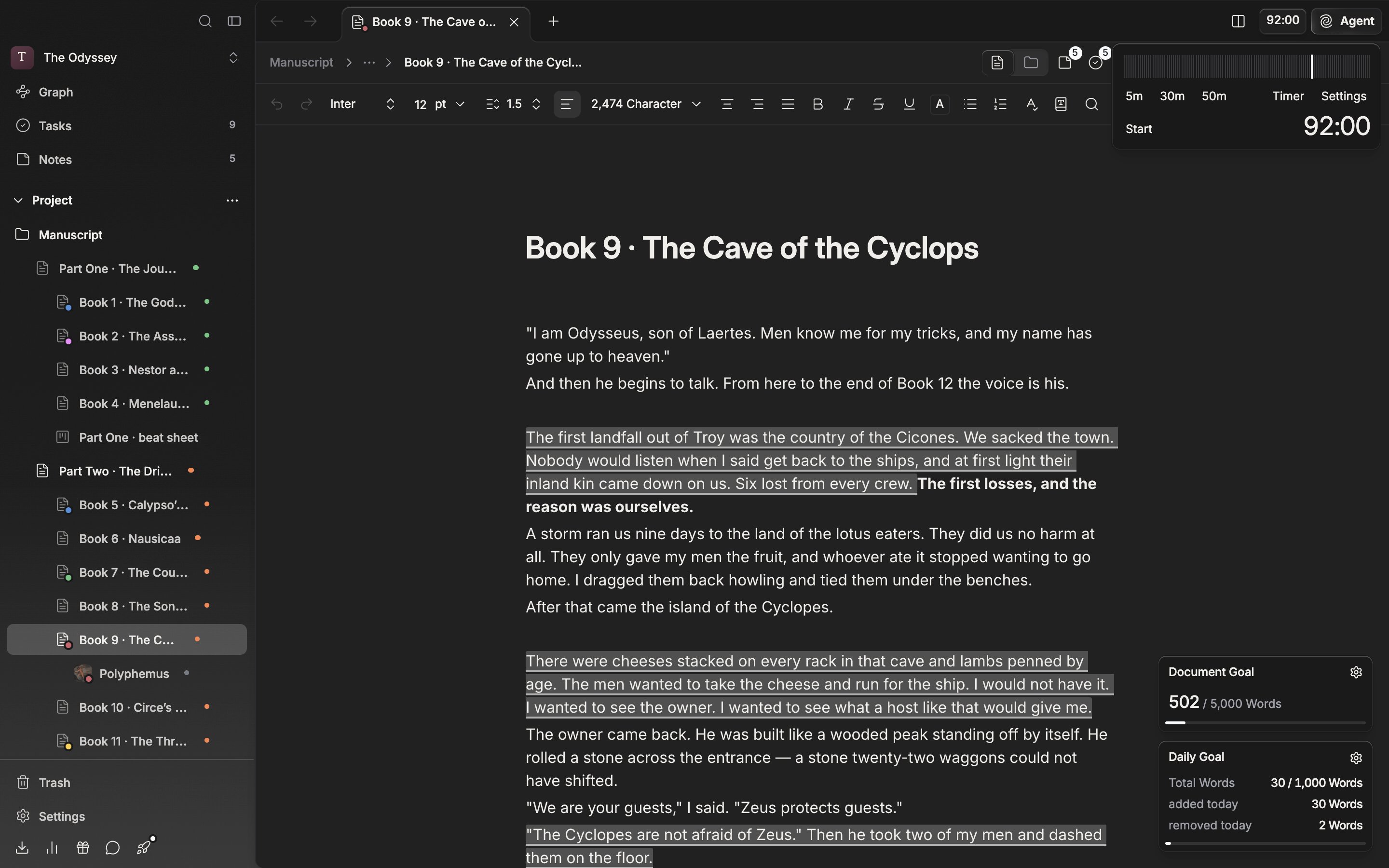
The clock button at the right of the header is the timer. **Expanded** is the default, so the time left shows as numbers; switch to **Compact** and only the turning-hand icon remains. Press to open it and three presets appear (5m, 30m, and 50m at first). Choose one and press **Start**. While it runs the buttons are **Pause** and **Resume**; once it is done they become **Stop** and **Restart**. It sounds when it ends.

**Settings** in the popover changes the values. **Timer Presets (min)** is always three, each between 1 and 120 minutes. Set **Timer Mode** to **Stopwatch** and it does not run backwards; the time you sit adds up instead. Turn on **Show Floating Widget** and a small window appears at the bottom right, which you drag wherever you want.

In Focus Mode neither the header button nor the widget is visible. The timer still runs and still sounds when it ends, so you can time a stretch with the screen emptied.
<div className="app-window block dark:hidden">
  <img src="https://mintcdn.com/raumlabsinc/GnwEix8Pn4ktt2lZ/images/en/writing/focus-mode--03.png?fit=max&auto=format&n=GnwEix8Pn4ktt2lZ&q=85&s=f3a7fc6504b32092513a9b7b1ec84953" alt="The timer popover opened from the clock button in the header. The 5m, 30m, and 50m presets, the Start button, the timer/stopwatch toggle, and the Settings button are all visible." width="2880" height="1800" data-path="images/en/writing/focus-mode--03.png" />
</div>

<div className="app-window hidden dark:block">
  <img src="https://mintcdn.com/raumlabsinc/GnwEix8Pn4ktt2lZ/images/en/writing/focus-mode--03-dark.png?fit=max&auto=format&n=GnwEix8Pn4ktt2lZ&q=85&s=03263bdb3845d1e0258cddb083c99921" alt="The timer popover opened from the clock button in the header. The 5m, 30m, and 50m presets, the Start button, the timer/stopwatch toggle, and the Settings button are all visible." width="2880" height="1800" data-path="images/en/writing/focus-mode--03-dark.png" />
</div>

<p className="app-caption">The timer popover. Choose a preset and press Start.</p>
