

Three modes
You pick one from the gear button (Mode) at the left of the composer.
When you pick a mode other than Default, the name is attached to the button as Ask mode, so you can see at a glance which mode you are in.
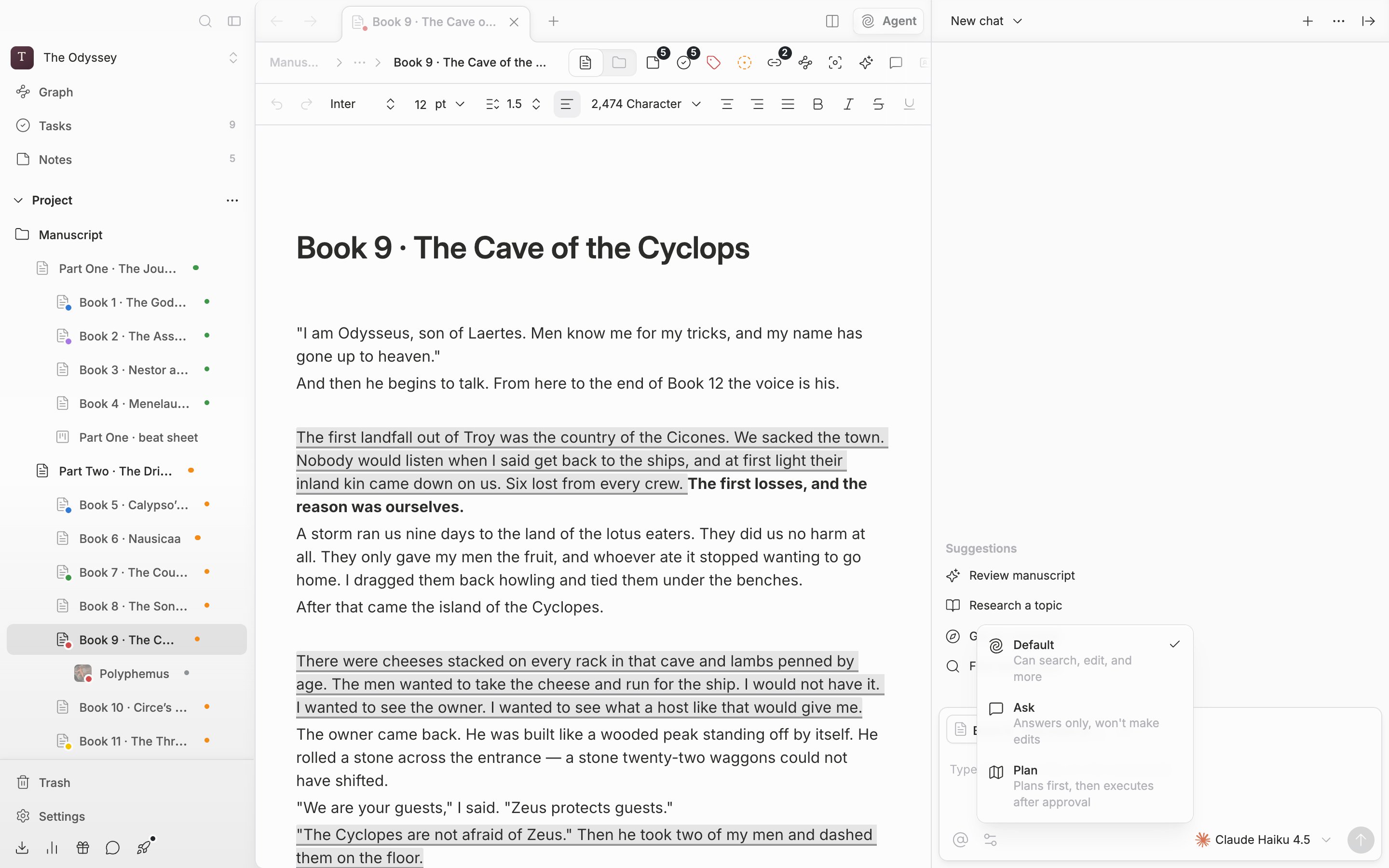
The three modes. What the agent touches depends on the mode you pick.
Handing it the manuscript
It is written right in the composer: Type @ to add a file, or / for commands. Type@ and this project’s files appear. You can pick folders too. They expand into the files inside them when you send. The @ button on the left (Add context) opens the same list. You can also drag a file or folder from the sidebar tree into the chat. Drop it where Add context appears and it attaches to the composer. While a filter is applied to the sidebar, you can’t drag and drop.
Type / and commands appear. New chat · Clear chat · Compact conversation · Usage & credits deal with the conversation itself. Deep research · Review · Humanize · Copyedit · Proofread are manuscript work. Picking one of the last five embeds a fragment in the composer, so write what it should apply to after it.
It asks before it changes anything
Right before it creates, edits, or deletes a file, an approval card appears. Press one of the four rows — Accept once · Allow for this session · Always allow · Reject — and it is settled on the spot. Actions you set to Always allow are not asked about again. When several approvals pile up, step through them one at a time or cut them off all at once with Reject all.Models and credits
You change the model at the right of the composer. Premium models carry a lock and say Available on Pro and above. Light models work regardless of plan. Whichever model you use, every run draws down your AI balance.An empty conversation lays out four rows under the name Suggestions: Review manuscript, Research a topic, Get an overview, and Find documents. Pressing one fills that sentence into the composer, so edit the rest.