

Where you open it
Press the AI Review button in the document header and a panel opens on the right. In the command palette you find it as Open AI Review. Run it outside a project and it says Open a project to use AI review.
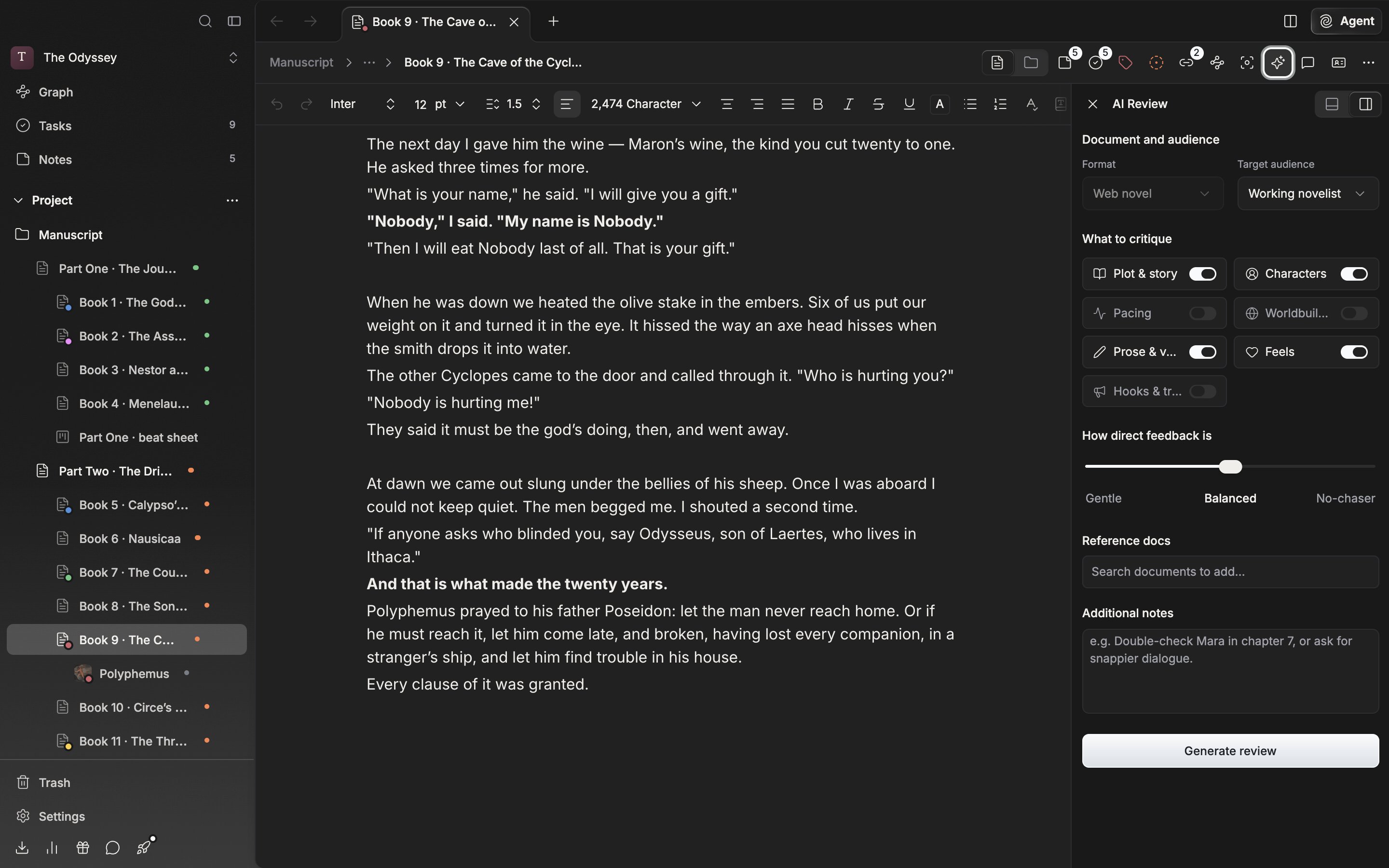
The settings screen of the AI Review panel, open to the right of the manuscript.
What you choose
What you have to choose comes up first, before the review.- Document and audience — Format has only Web novel, so it cannot be changed. For Target audience you choose among Newer novelist, Working novelist, Platform editor mindset, Contest juror, Superfans, and Skimmers & newcomers. It starts as Working novelist. How the six read differently is laid out in a table in Review settings.
- What to critique — You switch seven axes on and off: Plot & story, Characters, Pacing, Worldbuilding, Prose & voice, Feels, Hooks & traction. Turn them all off and it stops you with Choose at least one lens.
- How direct feedback is — You move a slider among three settings: Gentle, Balanced, No-chaser.
- Reference docs — You attach up to four other documents from the same work. Add lore material or an earlier episode and the comments come back aware of that context.
- Additional notes — You write down what you want looked at closely this time and what to leave alone.
What the result contains
Press Generate review and the scores fill in first, then the critique follows. With three or more lenses on it shows a radar graph; with two or fewer, bars. Each lens is scored out of 5. A phrase like Top 5% is sometimes attached next to the overall star rating. When it is done, you change the conditions with Run again and run it once more. Share in the header makes a card image, and Copy as Markdown takes it out. The reviews you receive pile up in Past reviews.Limits
AI Review has a per-day count and a per-period count set for each plan. The Free plan is 3 per day. You see what is left on the billing screen in settings.Calling it from the agent
You get the same review inside a conversation too. Type/ in the composer and choose Review, and a score card is drawn.