

Exporting a single document
Open the document, press “More” at the top right, and pick “Hangul Office (.hwp)” inside “Export”. A save dialog comes up first, asking which folder to put the file in and what to name it. Once you have decided, a “Converting…” notice goes past, and when it finishes “HWP export completed successfully” appears. If something goes wrong, “An error occurred during HWP export” appears. The conversion happens on the server, so do this while you are connected to the internet. Export sits inside “More” to begin with. If you use it often, turn on “Export” under “Customize” in the same menu to pull it out as a header button. Sheets carry the same export menu under “More”.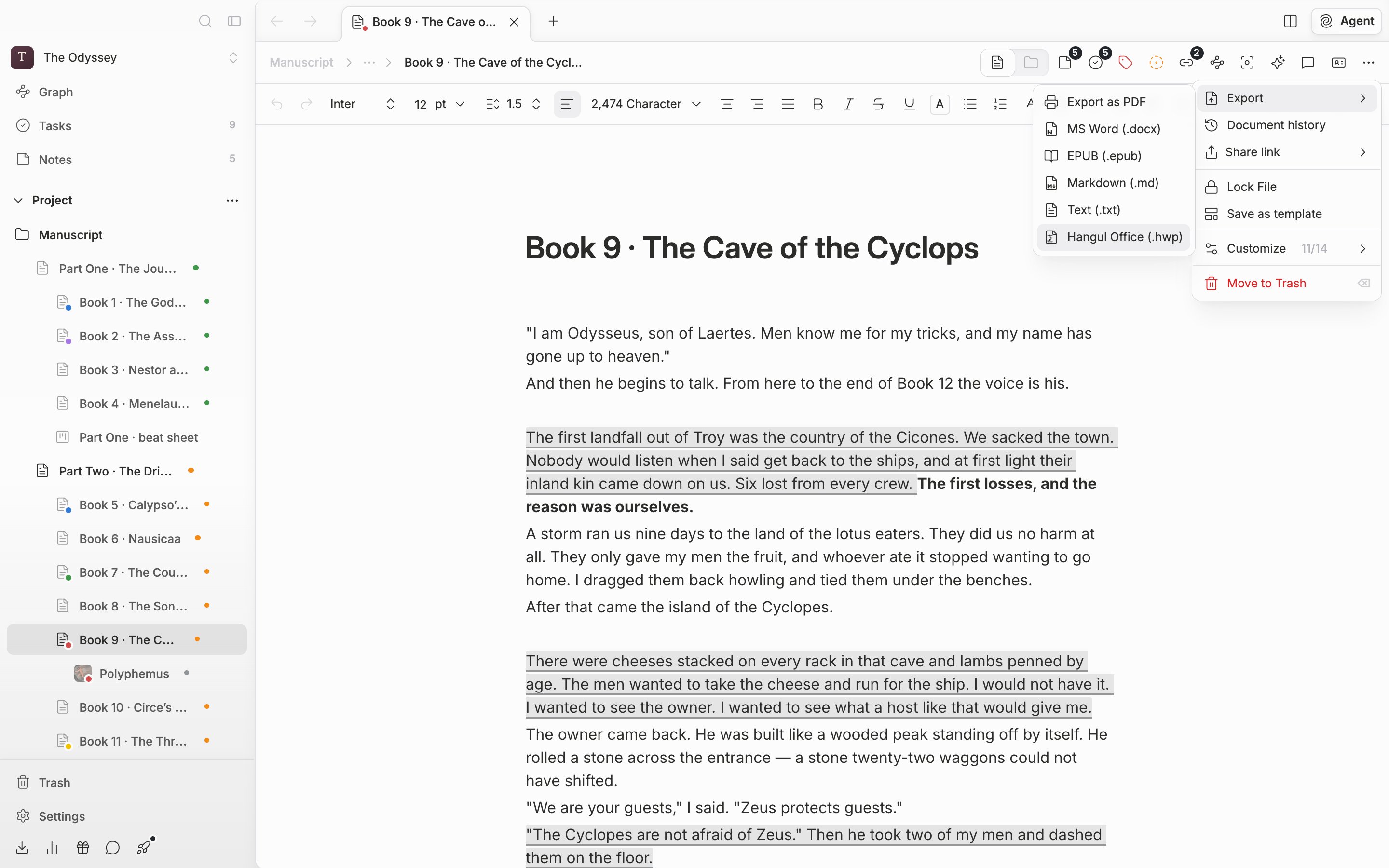
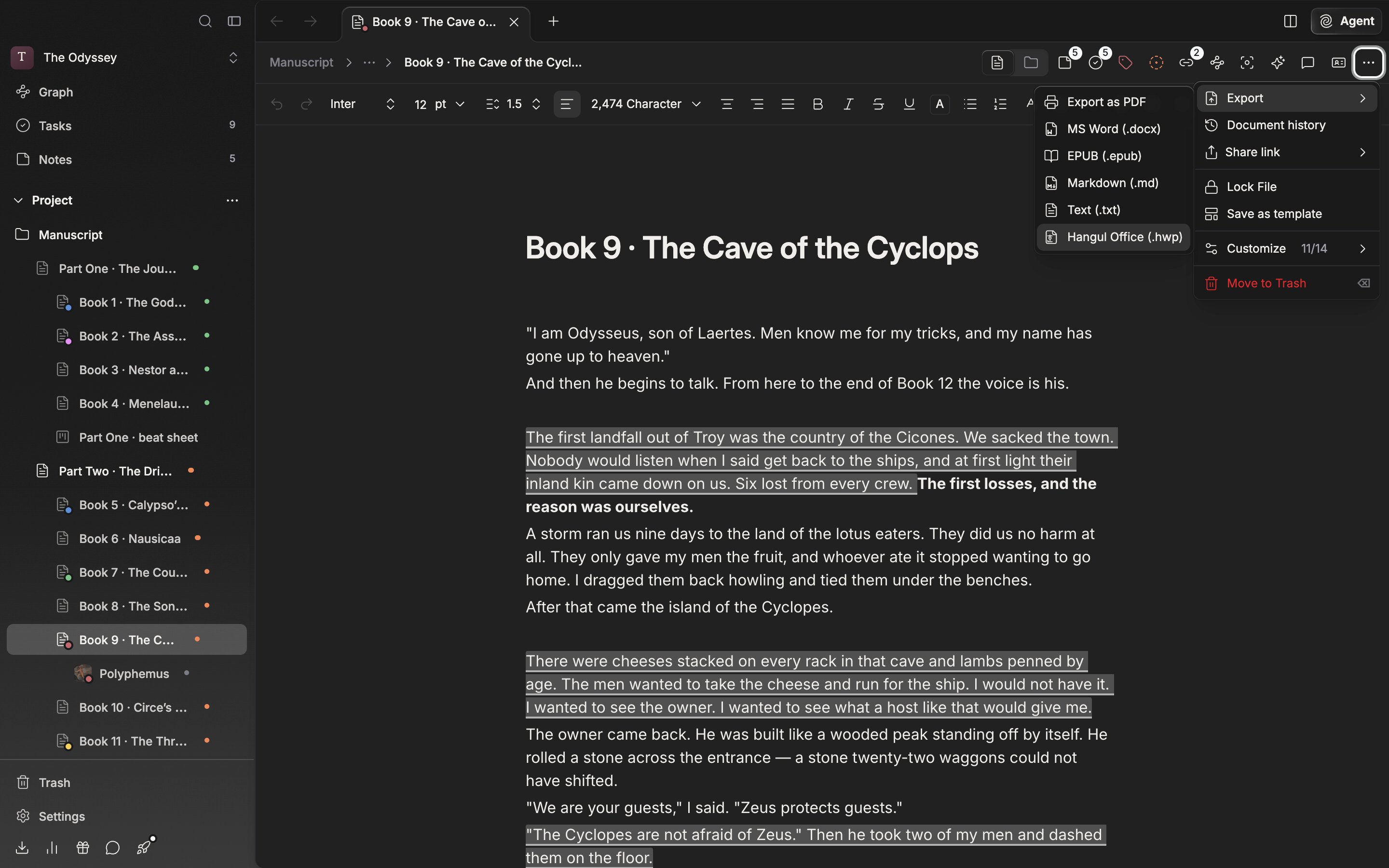
The path for exporting a single document to a Hangul file.
How far the formatting carries over
The font, base text size, line spacing, paragraph spacing, and first-line indent set on the document carry over as they are. Formatting given to individual paragraphs survives too, and images placed in the body are packed into the file. Images placed side by side go into a borderless table, so they sit side by side in Hangul too. Links made with mentions become underlined text, and blank lines stay blank paragraphs so the character count does not inflate. The file name pre-filled in the save dialog is the Korean title as it is, and you can change it there.Several documents at once
Pick “Export documents” from “More” on a folder screen and every document in that folder becomes the target, all the way down into its subfolders. If you have chapters hanging under a document, switch that document to folder view and pick “Export documents inside” from “More”. Selecting several documents in the sidebar or on a folder screen and pressing the export button opens the same dialog. In the “Export Documents” dialog, pick HWP for the format and choose between “Combine” and “Separate” for the mode. Combine joins every document into one .hwp; Separate makes one file per document and packages them into a ZIP. With Combine you can turn on “Include file titles” and “Include folder titles” to put each document’s and folder’s name in as a heading paragraph.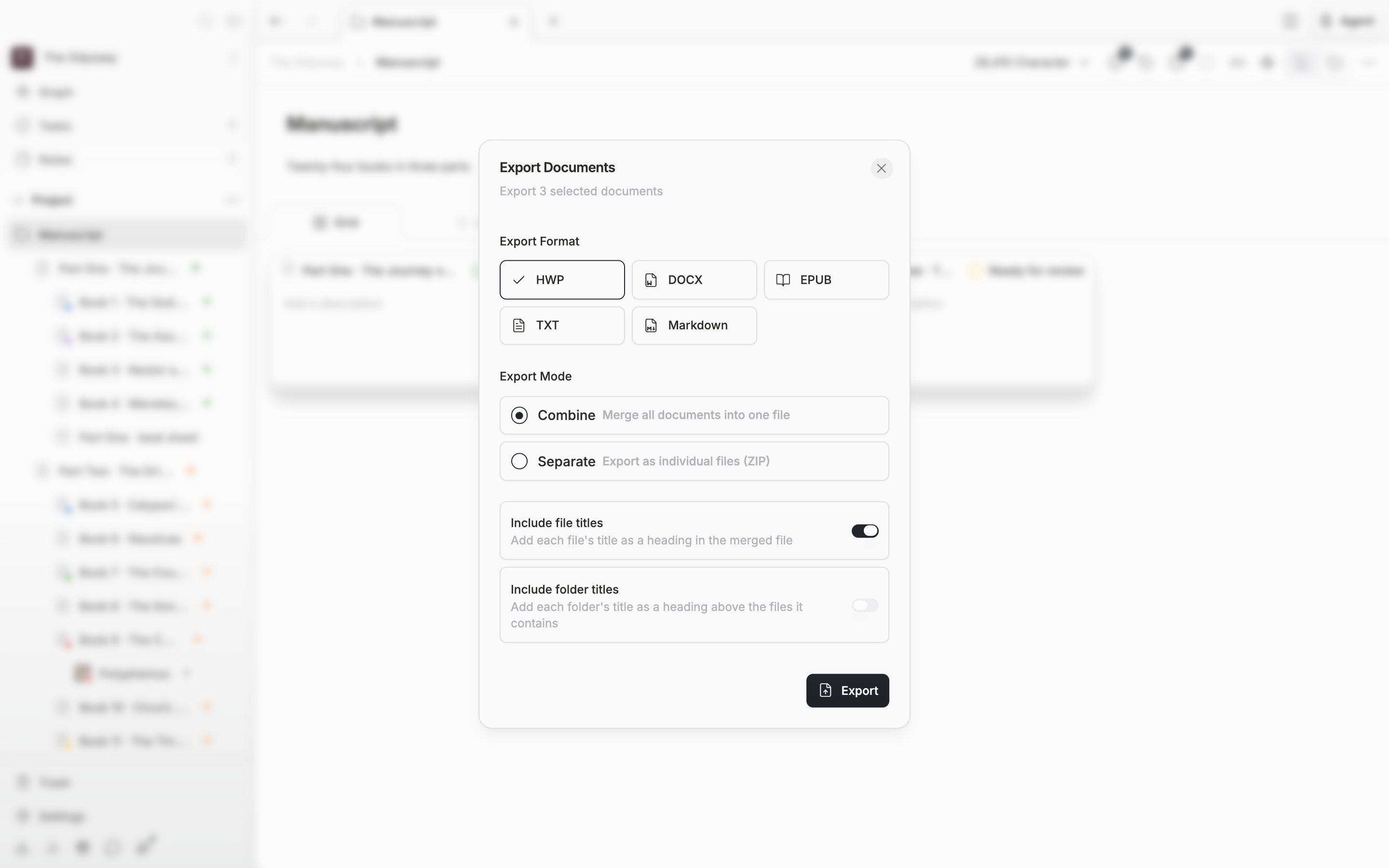
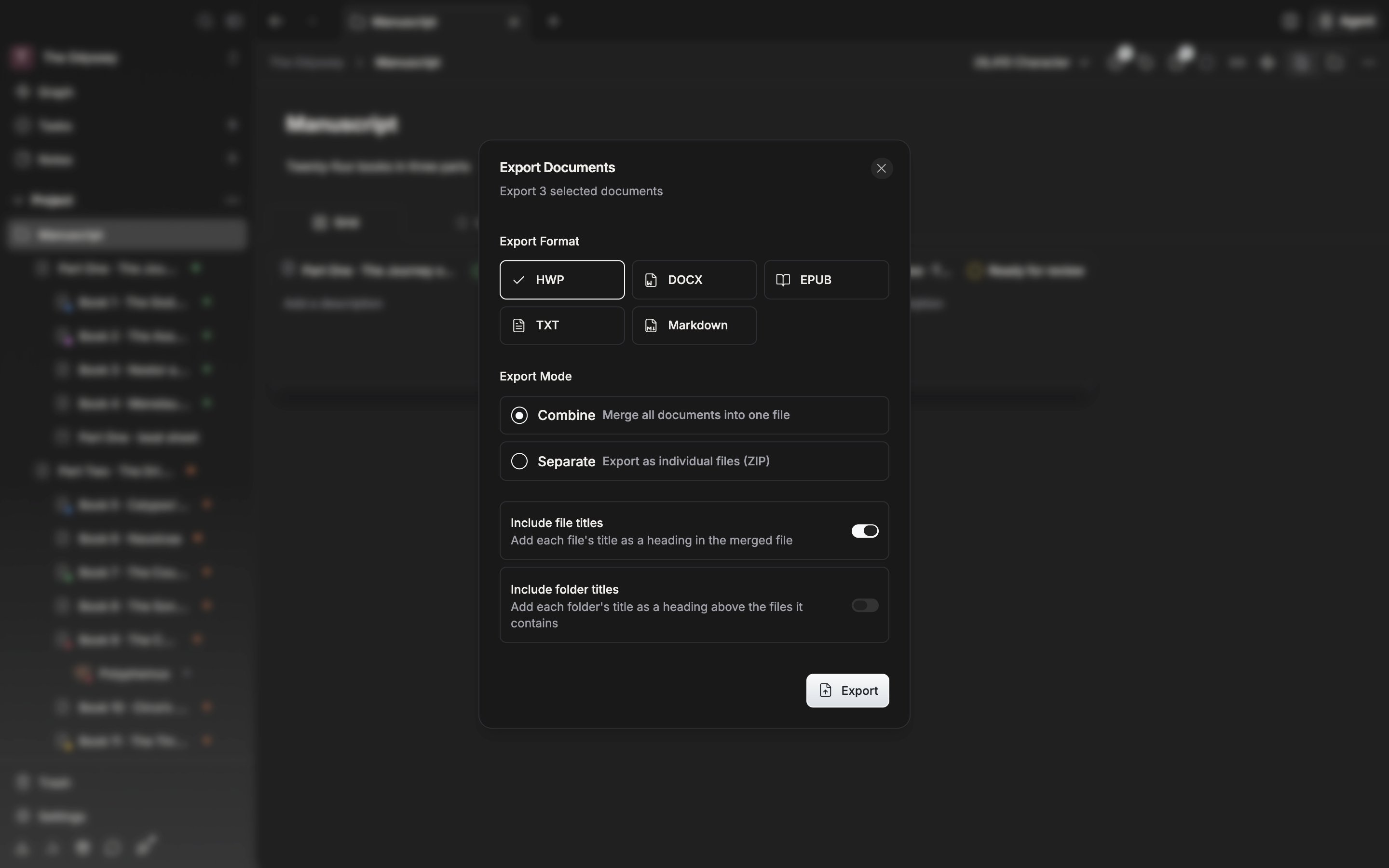
The settings for merging several documents into one Hangul file.
Exporting with “Separate” does not put the document title into the body; it is used only as the file name. “Include folder titles” appears only with Combine, and only when some of the documents you picked sit inside a folder.